How Keynate works
Keynate builds your news site, blog, job portal or help center on your own server and keeps it running, with no coding.
Try it below. Pick a few things and follow your own site through every step. Nothing is charged.
Prefer to ask? Your AI app (ChatGPT, Claude or Gemini) can start this for you. Use Keynate with your AI.
Your demo site
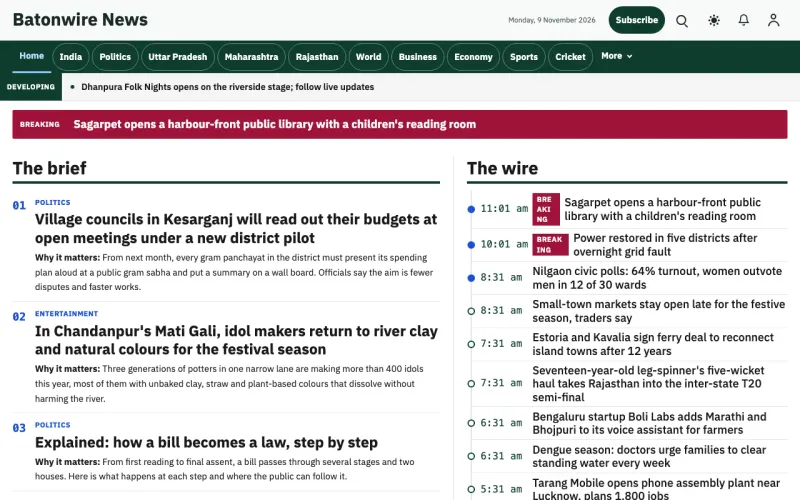 General News
Shown in the header of your preview.
Your site, step by step
Step 1 of 6 · Choose · Swipe left or right, or use Back and Next.
Choose
Your choice: News site, with the Batonwire design.
- Open the live demo of the website, its admin and the app
- Switch designs later without losing your content
- Your name, language and colour come with you to checkout
- What are you making?
- News site
- Design
- Batonwire · General News
- Your site’s name
- My City News
- Your site’s language
- English
- Main colour
- The design’s own colours
Plan & pay
Pick a plan. The price is one all-in monthly total: your plan, your own secure server and tax, shown before you pay.
On every plan
- Your website and its admin
- Your own secure server, used only by your business
- Daily backups of your stories, pages and settings, and updates you approve
- Photo & video storage and email sending, set up for you
- Your AI assistant: free (you connect a free account once in your admin)
- We look after your server: nothing to install or log in to
Pay online by card, UPI or PayPal. If we cannot set up your site, you get a full refund.
Loading prices…
This is a demo. Nothing is charged here.
Connect your web address
Your website opens on your own domain. Connecting it takes about 10 minutes with our step-by-step guide for your domain company, or we can send the steps to your developer.
- Type mycitynews.com in My sites
- Copy two settings into your domain account, with copy buttons and steps for your provider
- We check it and switch it on, with the secure padlock
No web address yet? Buy one from any domain seller, then connect it here. We guide you step by step.
Your web address
https://mycitynews.com
General NewsLive in about 15 minutes
Live in about 15 minutes (after your domain is connected). We build your website and its admin for you, automatically.
- Start publishing from your admin right away
- Updates wait for your OK, and a failed update rolls back by itself
General NewsOn a laptop
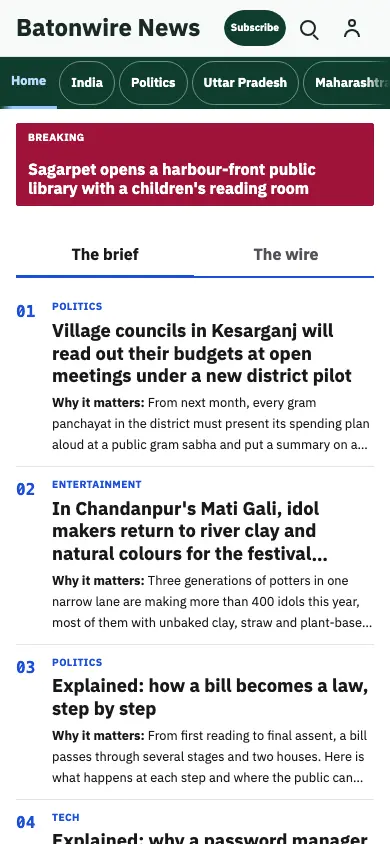 General News
On a phone
Change anything by asking
Ask your AI assistant in plain words. It shows the change, you apply it, and every change has Undo.
Your AI assistant: Hi! What would you like to change on My City News?
Your AI assistant is free: you connect a free account once in your admin, no card. Risky changes wait for your tap, and it never touches money or passwords.
General NewsApps
Want apps too? Add an Android app and an iPhone app for My City News, each with its own monthly price. They are optional: choose them at checkout or later.
- Website
- Android app
- iPhone app
- Your own store accounts, with ready answers for the store forms
- Published under your own store accounts, so they stay yours
General NewsReady to launch My City News?
Your choices go with you, and you can change any of them before you pay.
After you go live
Updates you approve
Updates ask for your OK first. One exception: an urgent security fix. We tell you first and give you about 72 hours to choose when it installs; if you don't choose, it installs by itself. A failed update rolls back by itself.
Undo any change
Every update, AI edit and design switch is saved as a version you can go back to.
Change anything by asking
Ask your AI assistant to change the look, pages, menus, wording or automations in plain words, or to help fix a problem. Every change has Undo. It’s free: you connect a free account once in your admin, no card needed.
Common questions
More answers on pricing, refunds, apps, AI and support are on the FAQ page.
Do I need to be technical?
No. There is no coding. If you add your own web address, the only manual step is copying two settings into your domain account, with copy buttons and steps for each.
How long until I am live?
Usually about 15 minutes after payment and domain connection. Connecting your domain takes about 10 minutes with our step-by-step guide. Domain settings can take a little longer to reach every visitor.
Do I need a web address?
Yes. Your website opens on your own web address (like yournews.com). If you don’t have one yet, you can get one from any domain company. Connecting it takes about 10 minutes with our step-by-step guide for your domain company, or we can send the steps to your developer.
Why does the price depend on my country?
Prices are set per country. The price is locked to the country you visit from for the whole checkout: entering a billing address in another country never changes the amount or the currency. Your invoice follows your billing country.
Do I get mobile apps?
Yes, if you want them. The Android app and the iPhone app are optional, each with its own monthly price. Each app goes live after the store’s review (Google Play and Apple, usually 1–3 days). Your website is always included.
What if setup fails?
You get a full refund, automatically. If we cannot set up your site, you do not pay for it.